Your Patient Portal Has Moved to a New System

Please create a new account to access the new Patient Portal.

Important: The Forgot Password option will not work until you have created a new account in the new portal.

Better Mental Health, Better
Quality of Life

A Path to Hope, Healing, and Long-Term Wellness

Better Mental Health, Better
Quality of Life

A Path to Hope, Healing, and Long-Term Wellness

How to Access the New Portal

Click Sign Up to create your new account.

Once your new account is registered, you will be able to:

  1. View your records

  2. View upcoming appointments

  3. Send secure messages to Medical Assistants

  4. Stay connected with your care team

We appreciate your patience during this transition and apologize for any inconvenience.

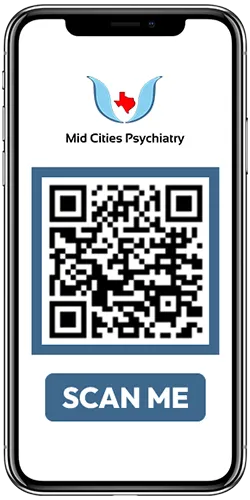
Visit Patient Portal on Your Phone

MCP - QR Code - Patient Portal Logon

You need to create a new account to access the new Patient Portal.
Your old portal username and password will not work.
Please do not click Forgot Password unless you have already created a new account in the new portal.

iPHR app by iPatientCare

Your mobile health companion for Android and iOS

Patient Portal

With Patient Portal, you can connect with your doctor through a convenient, safe and secure environment.

How to Sign Up on Patient Portal?

  1. Portal-Invitation is sent to you to your e-mail address soon after an appointment is scheduled with Mid Cities Psychiatry.
  2. If you didn’t get the invitation, please request a Portal-Invitation by sending an e-mail to [email protected] with your last name, and your date of birth.
  3. Patient Portal-Invitation will be two e-mails sent to your personal e-mail address.
  • E-mail #1 will contain a link to the portal.
  • E-mail #2 will contain the passcode.
  • Please click the link from e-mail #1, enter your DOB and the passcode from e-mail #2 -> then click next.
  • On the next screen, enter a new password and your secret questions.
  • Click next to activate your portal.
Signup on Patient Portal